I love quick wins. I love poking at weird URLs. I love coffee. What I don’t love: accidentally wandering into infrastructure that’s explicitly out of scope for a bug bounty. That’s exactly what happened recently — and the whole thing taught me a clean lesson about reconnaissance, disclosure, and the little bureaucracy that sits between a valid PoC and a reward.
TL;DR
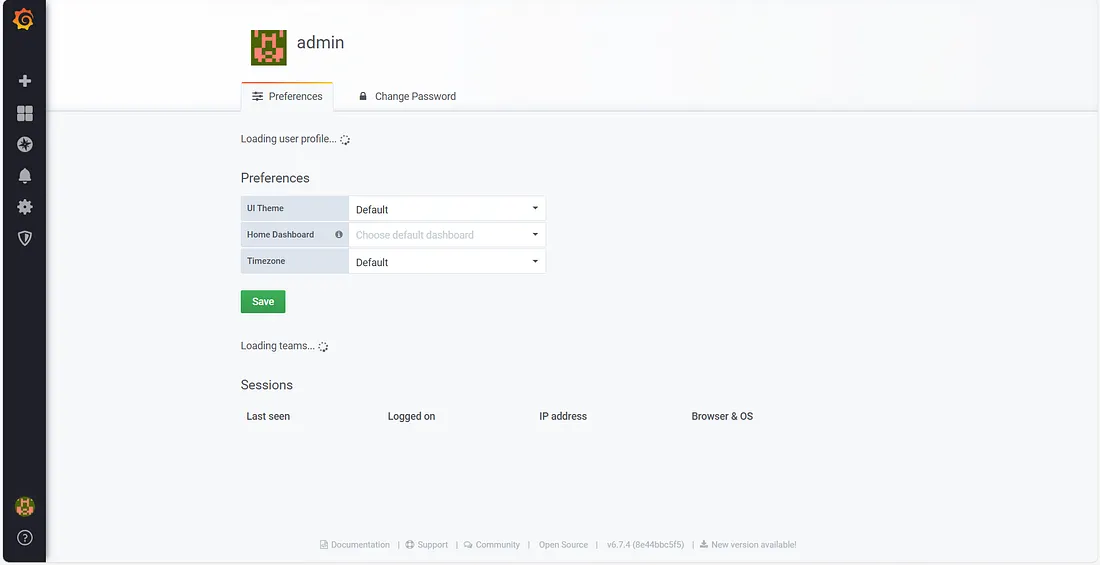
While searching archived URLs (Wayback/CDX) for interesting endpoints, I found an archived reference to what looked like a dashboard export endpoint. Opening the link redirected to an admin/dashboard interface that did not require authentication — I did not need to log in or bypass anything to see it. I recorded a PoC video and reported it to the vendor’s bug bounty address. They replied quickly but rejected the report as out-of-scope because the host belonged to their internal VM/infra family. No reward — but useful intel. Lessons: check scope first, document everything, and keep your portfolio tidy.
How I found it
I regularly query public archives and CDX for interesting endpoints under a company’s domain pattern. This is low-noise recon: archived URLs often reveal forgotten export endpoints, test dashboards, or backup files.
This time the CDX output contained an archived path that looked like a dashboard data export. Opening that archived link (and testing the live counterpart) redirected me to a dashboard/admin interface. Crucially, the admin panel was publicly accessible — I could view the interface without authenticating, and I did not attempt any bypasses or active exploitation. I recorded the redirect and the UI flow for evidence — a classic PoC video.
Important: I stopped after observing and recording. No login attempts, no data exfiltration, no brute-force. Ethics first.
What I reported
I sent a clean, professional report to the vendor’s bug-bounty inbox containing:
- Short summary (one-liner for triage)
- Exact reproduction steps (CDX query + the archived path)
- PoC video (timestamped)
- Suggested severity (privileged interface exposure — P2)
- Suggested mitigations (block archival, require auth, IP allowlisting)
Their reply — and why they refused
Fast reply. Polite. Short: the host belongs to their internal virtualization/hosting infrastructure and is out of scope for their bug bounty program. They treat any VM / hypervisor / infra management hosts as explicitly out-of-scope, even if those hosts exist under the same parent domain.
So: technically the hostname was a subdomain of the main domain — but policy-wise it was classified as internal infra and therefore excluded. That’s fair. Their policy = their rules.
Why this matters even if it’s out-of-scope
An admin panel that is reachable without authentication increases risk even if it lives on internal infrastructure. Publicly accessible management UIs:
- Reveal internal tooling and surface area to opportunistic attackers.
- Make social engineering or targeted phishing easier.
- Can be accidentally indexed by crawlers or archived by services like Wayback.
Lessons for hunters (practical checklist)
- Read the scope first. Don’t assume “subdomain = in-scope.”
- Archive recon is valuable — but redact before publishing.
- PoC hygiene matters. Record only what’s needed, timestamp your video.
- If admin UI is publicly accessible, call it out — but responsibly.
- Be ready for a “no reward.” Even solid reports can be declined for policy reasons.
Final thoughts
Hunting is 70% detective work, 20% technical skill, and 10% paperwork. I’d rather report responsibly and be declined than exploit something that’s not mine or not allowed. Keep it ethical, document everything, and keep your coffee hot. ☕️
— AIwolfie